


Your Files.
Off the Screen.
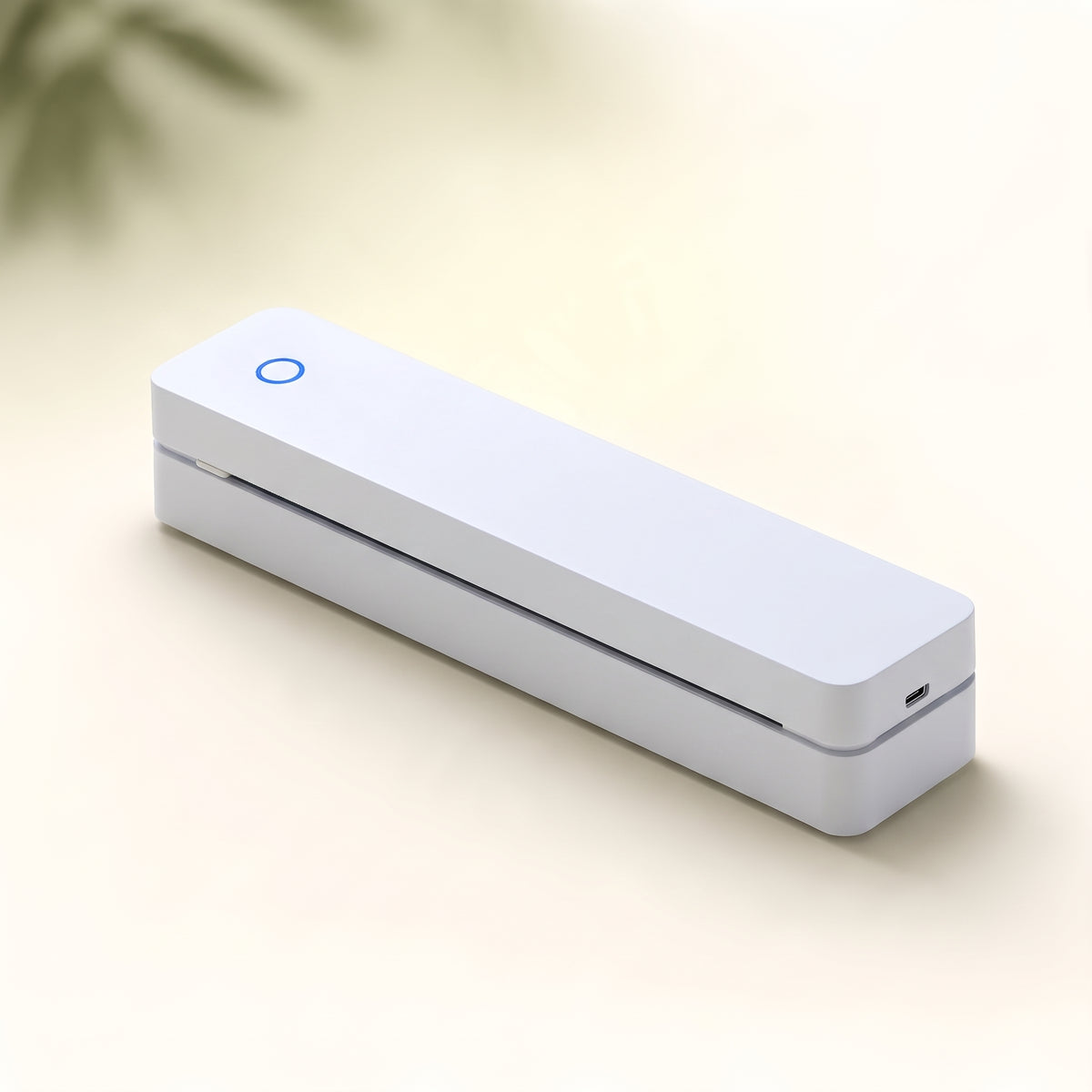
Your world doesn't stop at a desk. Bring a little paper into it, with the Cresagezen Inkless Portable Printer.
Meet your portable printer
One idea.
Two ways
to print.
Upgraded
Faster. Sharper.
Longer-Lasting.
Classic
Everyday Print Speed
Clear Print Detail
Standard Print Longevity


CRESAGEZEN · PORTABLE PRINTING
Cresagezen® Inkless Portable Printer
Global Office Supplies Design
Gold Award
Electronic Product Innovation Design
Gold Award
German Red Dot Award
Patented Design
Couldn't load pickup availability


Your next step.
Made tangible.
A document on screen becomes something you can take, mark up, pin up or pass around.
Find your printerFrom file to paper.
Illustrative workflow. Follow your model’s setup instructions.Your plans.
Ready to go.
The packing list. The places you want to see. A simple itinerary with room for a detour. Gather the useful details into a page you can fold, annotate and keep close.
Find your everyday printerPrint essential travel details ahead of time. Keep your phone and reliable navigation available when you need them.
 Lifestyle illustration
 Lifestyle illustration
One page.
A clearer day.
Start with what matters. A daily plan on the kitchen table can make room for work, errands and the small things you do not want to forget. Cross something off. Add something new. Make the day your own.
Your home does not need to become an office for a useful page to belong in it.
No ink.
Still a process.
Direct thermal printing uses controlled heat to create marks on a specially coated paper. That means no liquid ink cartridge for this printing process, but the paper still matters.
Confirm that the selected model uses direct thermal printing and check its exact compatible paper requirements before buying supplies. Do not assume ordinary printer paper will work.
Review the selected model Lifestyle illustration
Good food.
Great margins.
Bring the recipe to the counter, then add the details that make it yours: a little less sugar, a longer rest, the substitution that worked. A page gives those useful discoveries somewhere to live.
Find your everyday printerKeep the printer and paper away from heat, steam, spills and food preparation surfaces.
 Lifestyle illustration
 Lifestyle illustration
Read slowly.
Think on paper.
A full page to underline, circle and return to. Bring a reading passage or your own draft into the physical world, with space for questions and connections in the margins.
Check the selected model’s supported page size and printable area before preparing a full-page document. Print only material you have permission to reproduce.
Less searching.
More discussing.
An agenda that keeps the meeting moving. A short briefing that gives everyone a place to start. Put the key questions in view so the next conversation can focus on the work, not finding the right tab.
Find your everyday printerFor confidential documents, follow your team’s privacy, printing and disposal policies.
 Lifestyle illustration
 Lifestyle illustration
Weekend plans.
Open skies.
A packing checklist for a day hike. Notes for a picnic. A few things to remember before the road turns quiet. Prepare a useful page, then spend a little less of the weekend looking at a screen.
Portability is not weather resistance. Prepare essential information before leaving and keep the printer and paper dry and protected.
The project.
At a glance.
Turn a client project into a concise working summary: the goal, the open questions and the next action. Keep a copy beside you while you prepare, and use the margins to capture what changes.
Find your everyday printerHandle client information according to your confidentiality obligations. Check document formatting before printing.
 Lifestyle illustration
 Lifestyle illustration
Small checks.
Steady progress.
An opening checklist. A handover outline. A reminder of the steps that matter. A simple page can keep routine tasks visible while the rest of the workday moves around it.
Choose a layout that fits the selected model’s supported paper and printable area.
Less “when?”
More together.
Bring the week into one shared place: school reminders, meals, errands and a little time for nothing at all. Print a family plan, add the changes by hand and keep the conversation going.
Find your everyday printerDisplay paper away from heat and direct sunlight, following the paper maker’s storage guidance. Keep private details off public-facing displays.
 Lifestyle illustration
 Lifestyle illustration
A blank page.
A new direction.
Try a black-and-white line drawing, a simple maze or a paper-craft template. Start with an idea, test a page and see where your hands take it. Not everything useful has to look like work.
Find your everyday printerUse your own designs or permitted materials. Check page size, print output and paper suitability before starting a craft project.
 Illustrative document scene · not verified print output
Look closely.
Choose clearly.
Text, tables and line drawings ask different things of a printer. Review actual print samples for your selected model and the type of document you plan to use.
Check the specifications for your chosen version, including supported paper sizes and device compatibility. For documents you need to keep, follow the paper’s storage guidance and retain a digital copy.
Check product detailsKnow what
comes with it.
Included accessories can depend on the model and bundle you choose. Review the exact contents of your selected option before checkout, including whether paper or any accessories are supplied.
Check whether compatible paper and the accessories you need are included, or should be ordered separately. Lifestyle props are not part of the bundle unless specifically listed.
Review your bundle Illustrative setup · bundle contents vary
Make sure
it fits.
A few useful things to check before you make it part of your day.
What should I check before ordering?
Review the product details above for the selected model's dimensions, connection method, supported devices, paper requirements and included items. Check the available delivery and return information before checkout.
Can I use any paper?
This printer needs compatible thermal paper, not ordinary copy paper. Check the selected model's supported paper size and format before buying supplies.
Will it work with my phone or computer?
Confirm device and operating-system compatibility in the product details. You may need the specified app, driver or connection method for your device.
Can I take it outdoors?
Portability isn't weather resistance. Keep the printer dry and protected, and check its power and connection requirements before you leave. Prepare essential travel information in advance.
What if I need colour or long-term records?
Check the model's output capabilities and the paper maker's storage guidance. For colour-critical work or records you need to preserve, verify suitability first and keep a digital copy.
Less on screen.
More in your hands.
For the plans you make.
And the places you haven't thought of yet.
Explore
Choose an individual printer. For bundle offers, use the main product selector.